

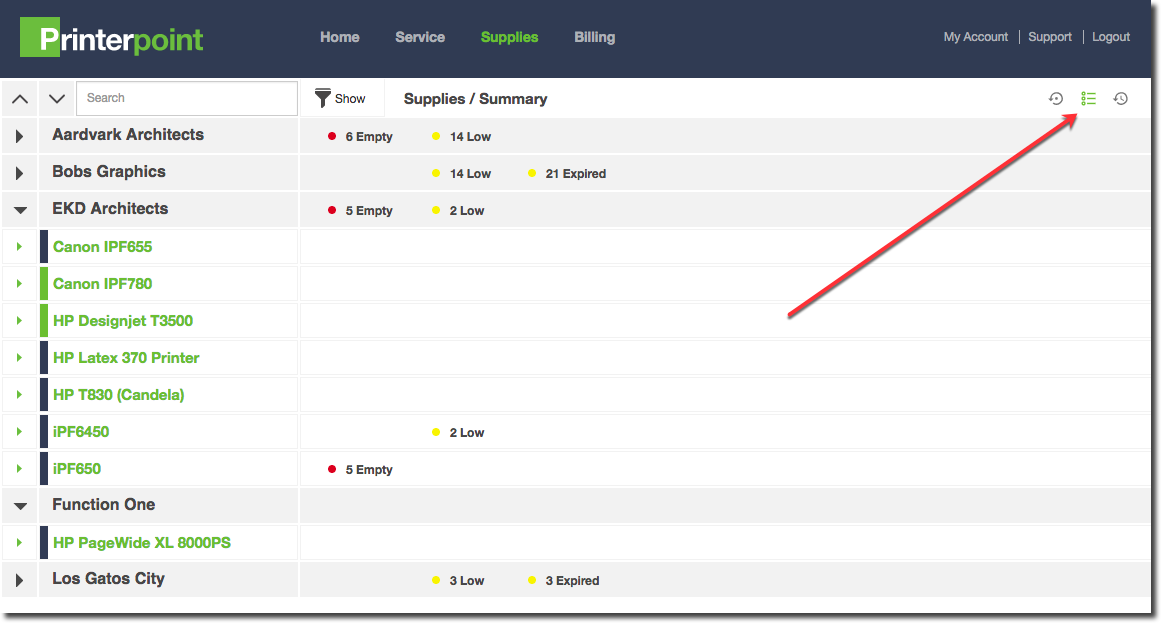
The Supplies Summary page shows you a "roll up" of your fleet, with an overview of which printers currently have low, empty or expired supply notifications. Click the "Summary" Button from any Supplies page to get back to this view.
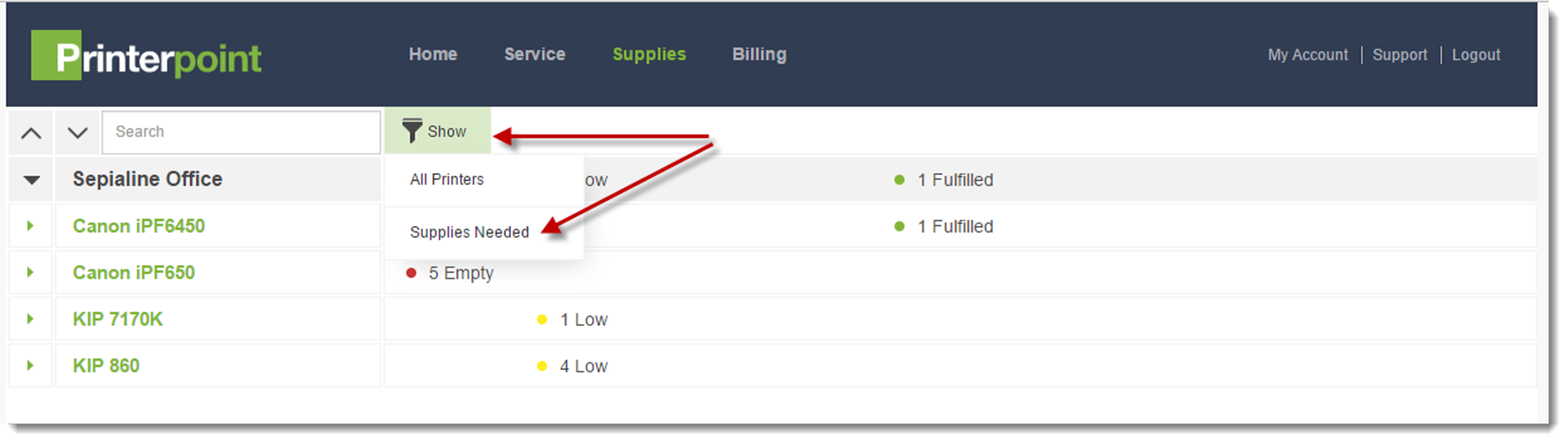
Clicking the "Show" filter icon will allow you to sort your printers and only display those with needed supplies.
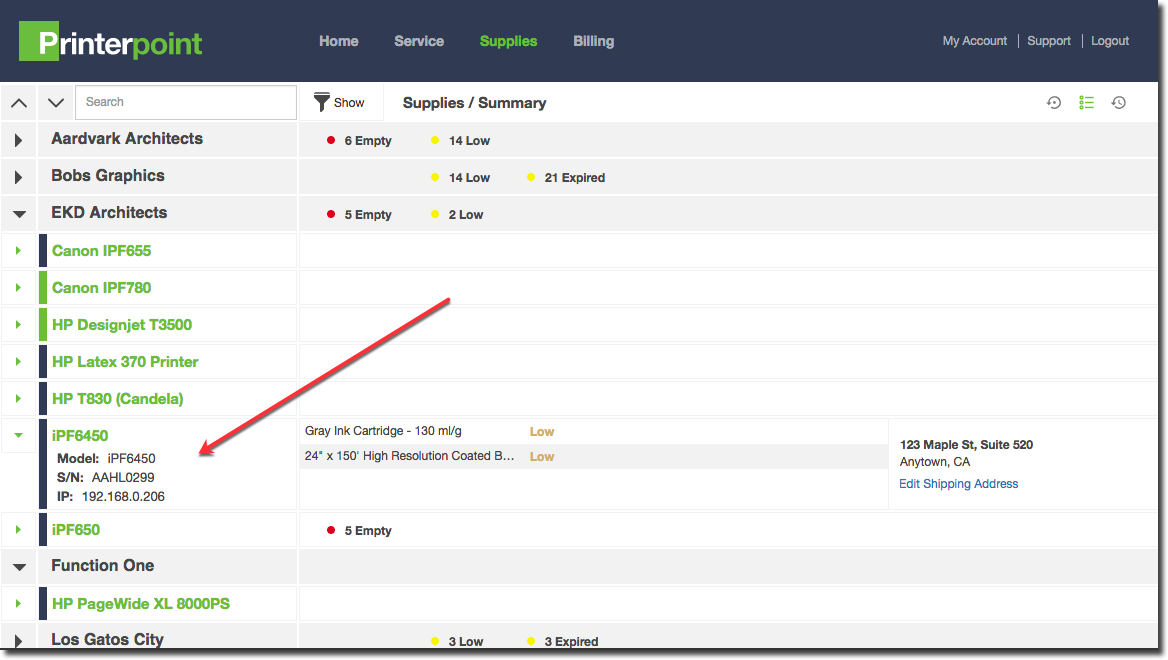
Click a printer name to see the specific supplies needed
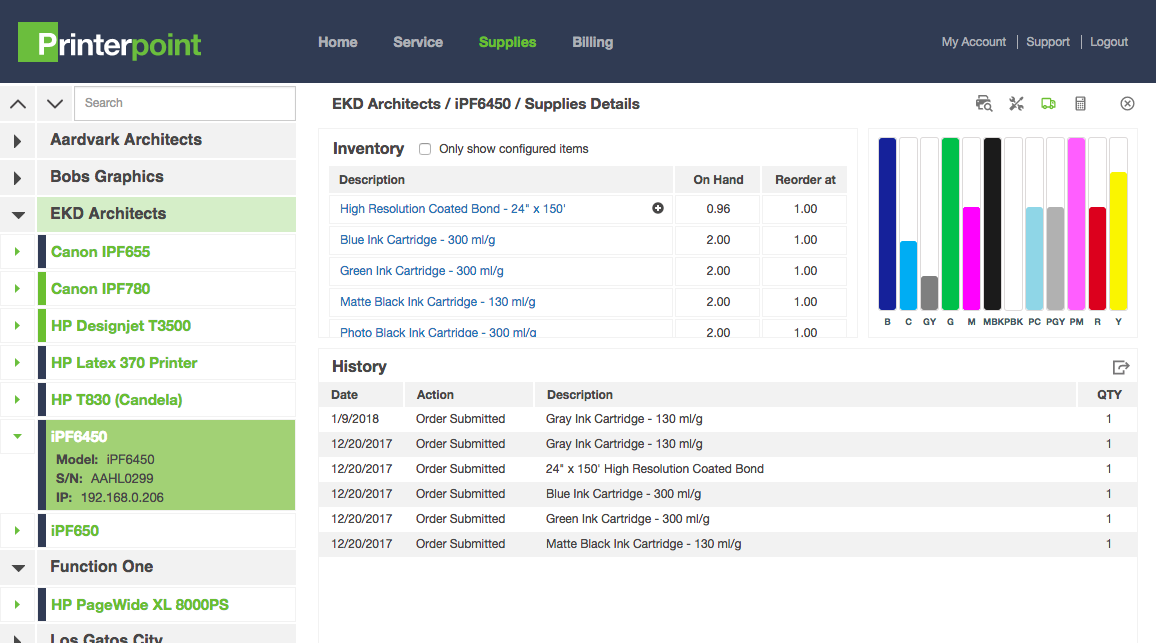
Click the printer again to get into the Supplies Details for that printer
0 Comments